OFFICIAL PROMO
Turn ideas into products with Quadcode AI.
See code, design, video and audio come together in one workflow.
Open on YouTube ↗An open-source engine was the starting point. Four prompts turned it into this race. Take it for a spin — then see how it came together.
Explore the four-prompt story
Three tracks. Two rides. Your race.
Desktop recommended. The game loads only when you press Play.
Choose a track and ride, then select Start Race. W / arrows to drive · Shift / E for nitro · R to recover · Esc / P to pause. Click inside the game to use the keyboard.
Four prompts, summarized from the creator’s account — not verbatim transcripts.
Start with an existing open-source game engine and ask Quadcode AI to build a racing game on top of it.
A valley circuit, an off-road canyon and a snowy track. Add jumps, a buggy and a dirt bike. Make the off-road maps a little wild.
Build on the first version: tire tracks, drifting and nitro. Add obstacles to knock over and mud patches to power through.
Refine the UI, improve the menus and give the game its finishing touches. The result is right here, ready to race.
1,000 free credits at sign-up.
Sign-up credits are separate from the promo code. For promo requests, choose LinkedIn or Telegram and message us privately for manual review.
Watch the official promo here, or open it directly in YouTube if your in-app browser blocks playback.
See code, design, video and audio come together in one workflow.
Open on YouTube ↗Like what you see? 1,000 free credits when you register. Message us for a promo code worth 1,000 credits.
Get a promo code for 1,000 creditsGo from racing worlds to beauty brands. Pick a result that sparks an idea — and see how it was made.
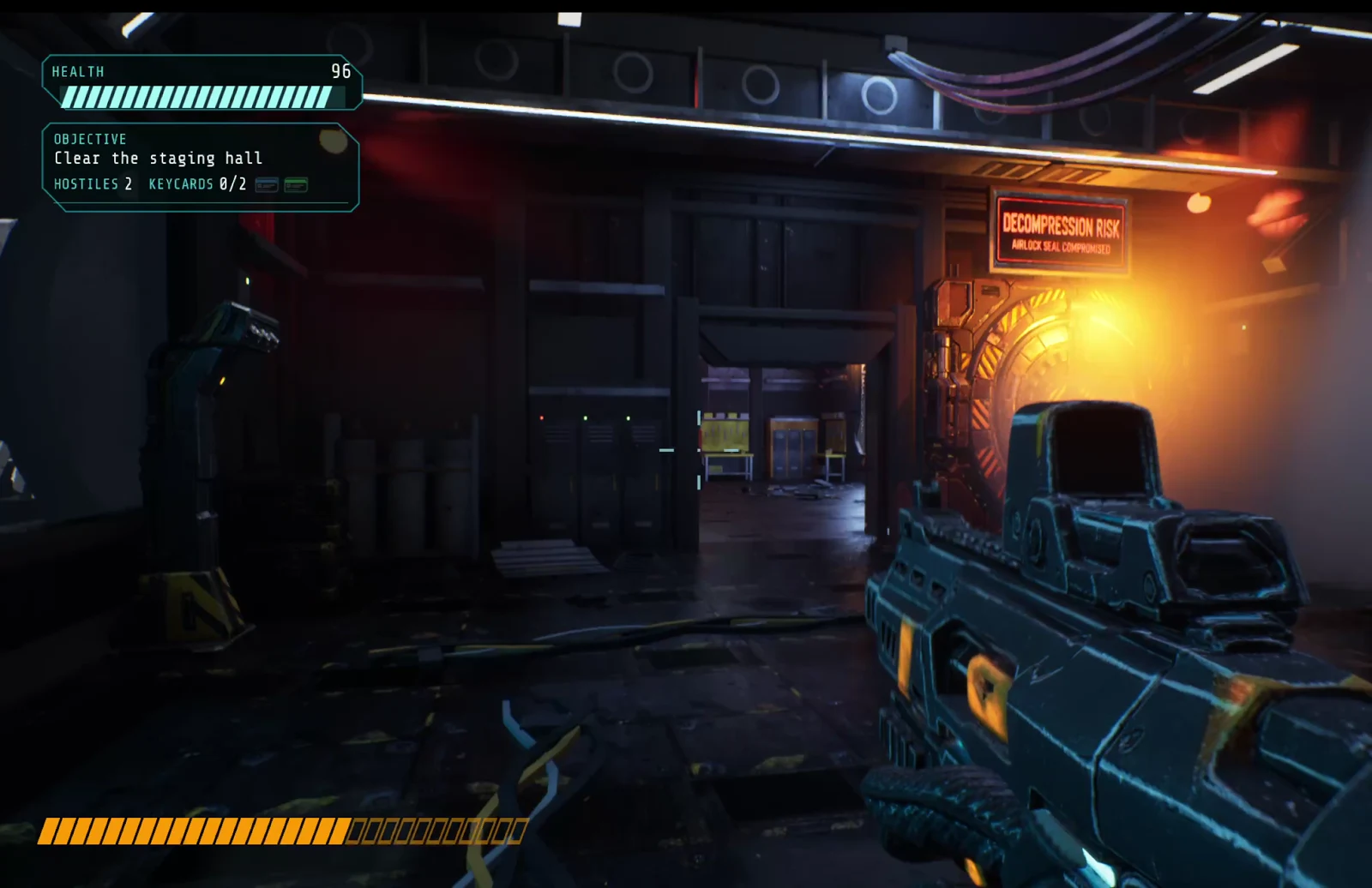
Built entirely through Quadcode AI, using MCP to work with Unreal Engine.
Step inside a sci-fi station. Watch the full gameplay recording — not a cinematic render.
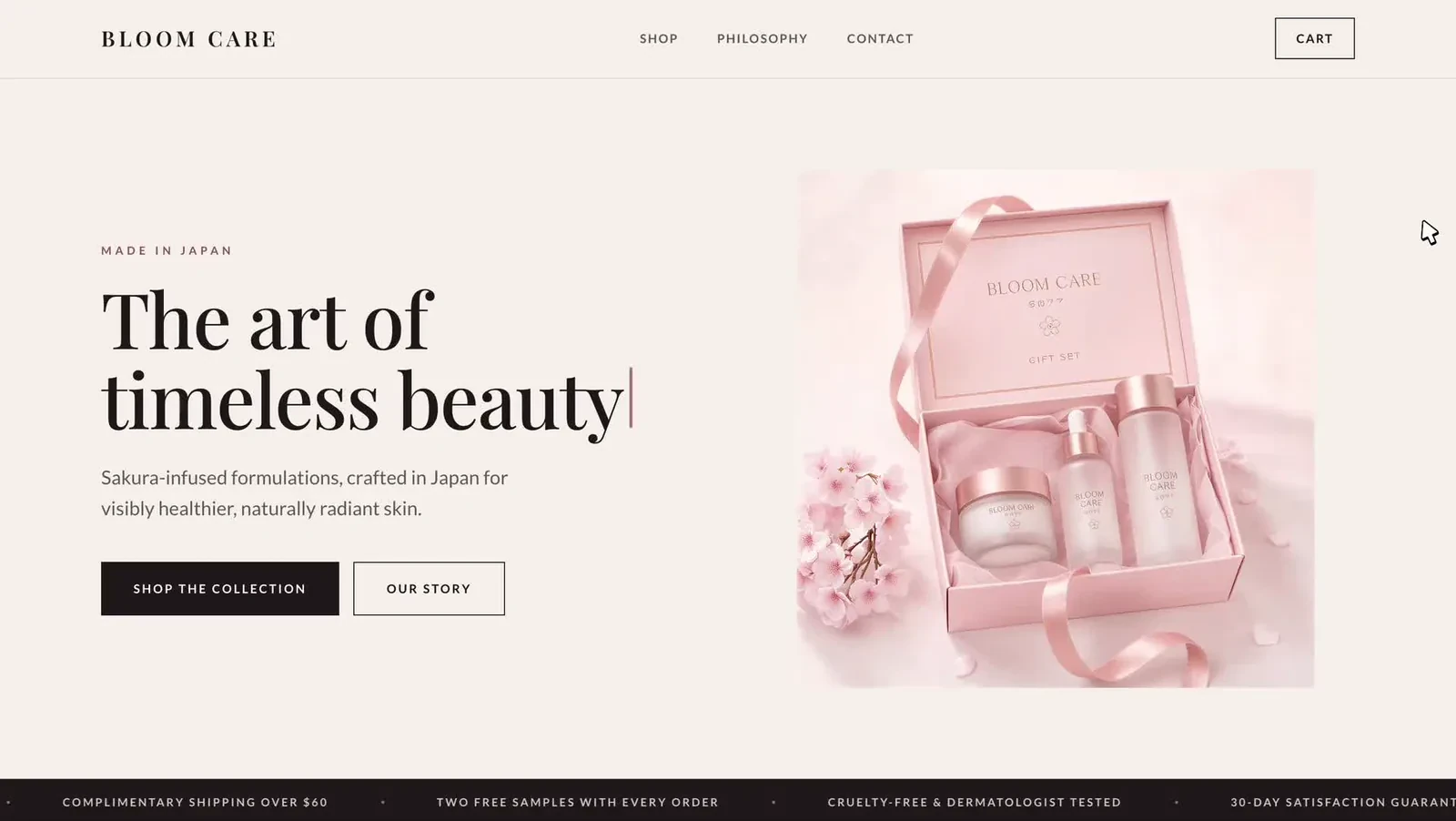
A Japanese-minimalist brief becomes a product-led page with a collection, product spotlight and brand story.
Explore the guide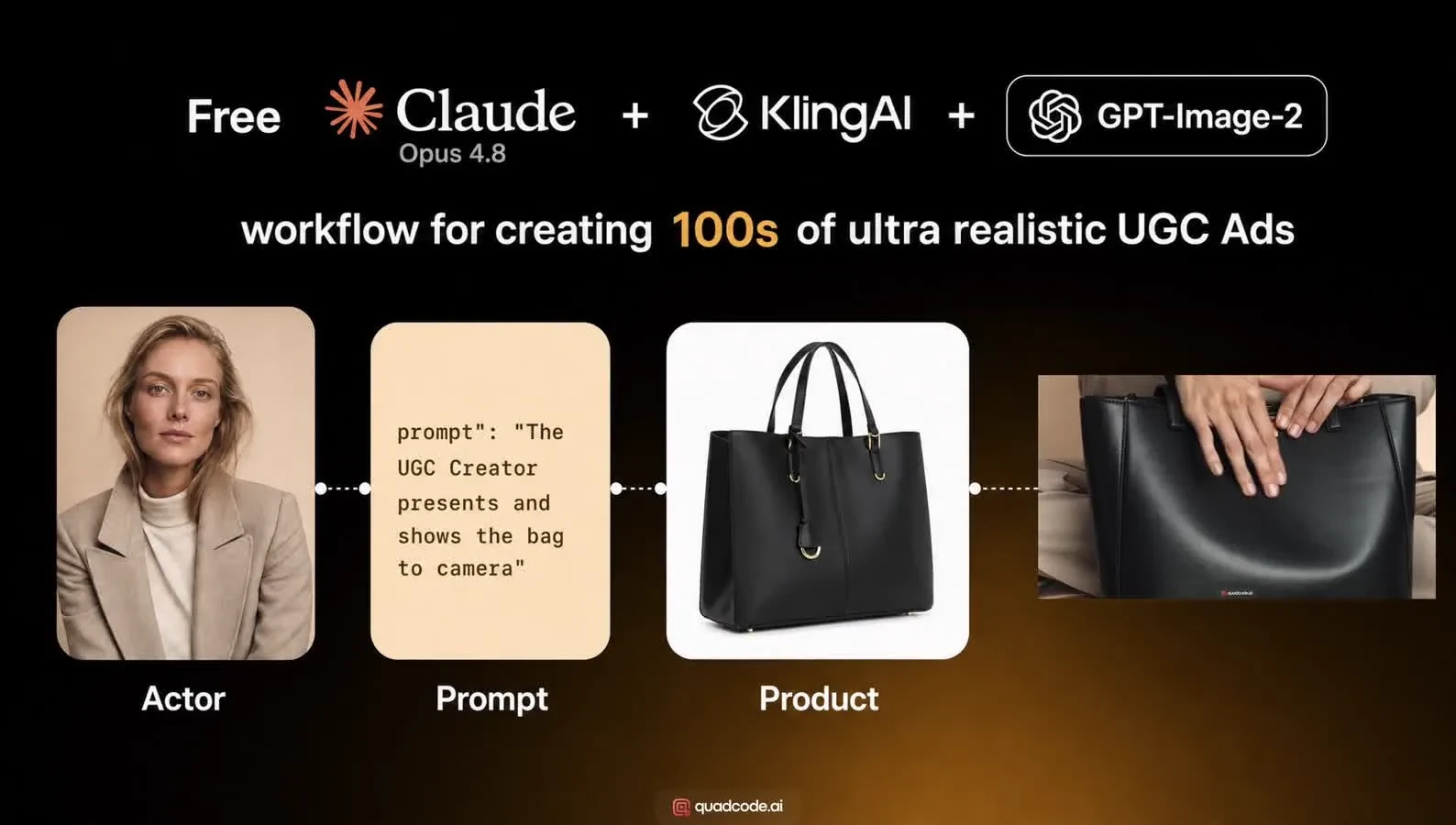
Create an AI actor, compose a shot with your product, then animate it. The guide uses a black leather tote bag.
See the ad workflowFollow the 3D chess example inside Quadcode AI, with code, visuals and sound in one workspace.
Open on YouTube ↗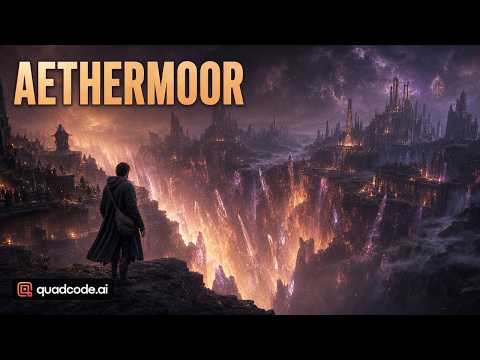
A different direction for game building. Open the full official walkthrough to explore this fantasy project.
Watch the game walkthroughProject previews come from official guides and videos. Chess and Aethermoor use video thumbnails; Unreal uses an actual gameplay frame. Showcase videos load only after you press play, with direct links available.
A brand brief becomes a complete visual direction: soft pinks, elegant type and a product-led page. Follow the same three steps with your own idea.
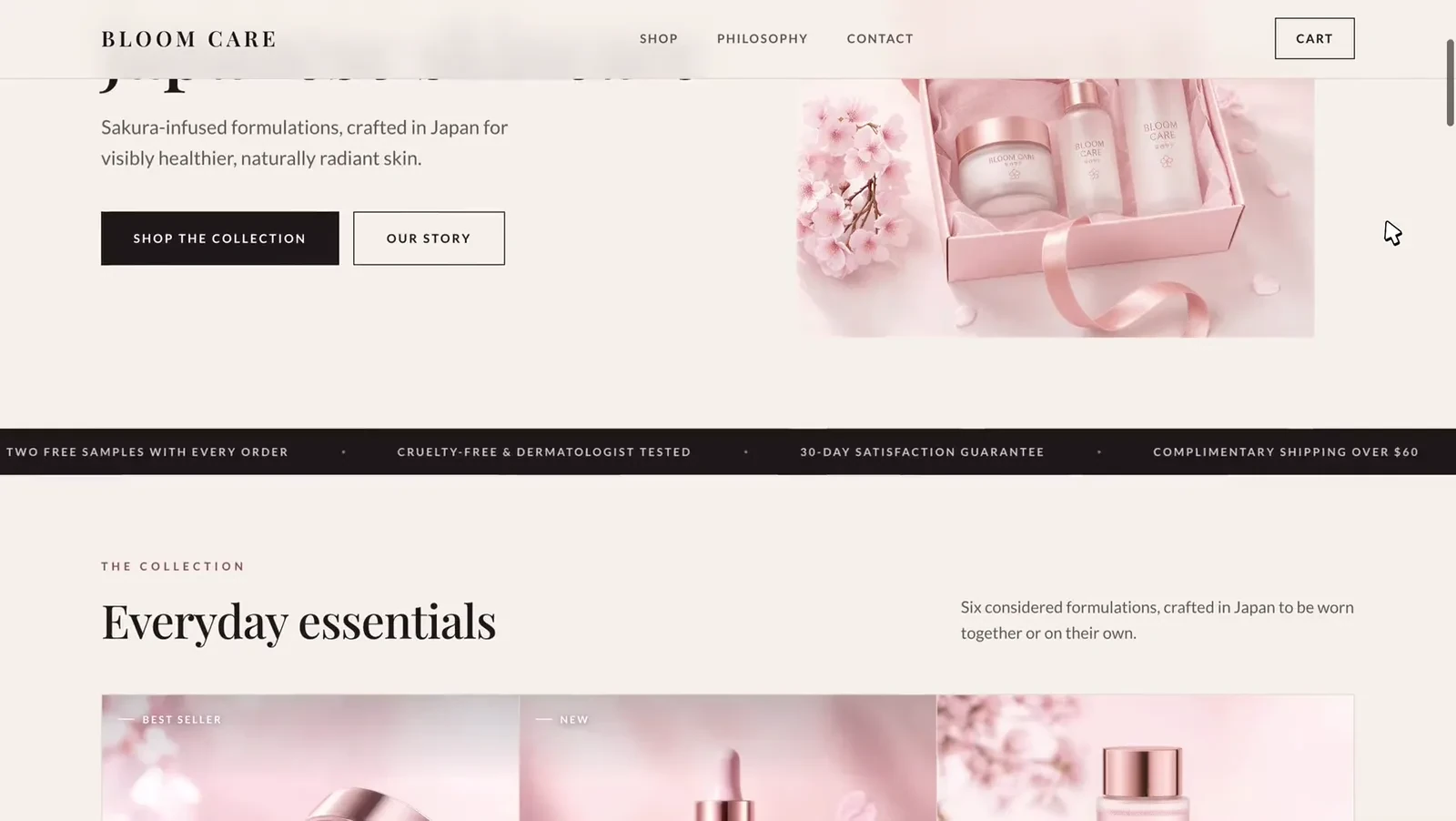
“Build a single-page landing site for BLOOM CARE — a premium Japanese skincare brand built around sakura extract.”
The direction: Japanese minimalism, blush pink and cream, serif headlines and generous whitespace.
The first prompt names the product, audience and visual mood. The guide uses Claude Sonnet to build the page.
Request a hero, bestseller cards, a serum spotlight, the formulation story and a full collection. The agent creates the layout and copy.
Add restrained scroll animations and hover states. The guide shows the finished page in a recorded scroll-through; it does not demonstrate a working checkout.
Explore real projects in the official guide library. Guides are open to everyone; you don't need a promo code to read them. Each example includes a starting prompt and a result to inspect.
Plan a small first experiment with your 1,000 sign-up credits. These examples are inspiration, not a guarantee that the bonus covers an entire project. Check current model costs in Quadcode before generating.
Choose LinkedIn or Telegram and send us a private message about the promo. A person reviews requests; there is no bot or code issued on this page.
Open our Quadcode AI LinkedIn page or the @quadcodeai Telegram channel. Pick whichever works for you.
Use the page or channel's Message button and send PROMO to request your code. No long message needed. If LinkedIn does not show Message, use Telegram instead. Do not post your request in public comments.
Our team handles requests manually. If you qualify and active codes are available, we'll reply with a code and confirmed redemption steps. A message does not guarantee a code.
Get 1,000 free credits when you register for Quadcode AI. Get a promo code worth 1,000 credits. Choose LinkedIn or Telegram below and send us a private message; a person reviews each request.
Message us privately for a promo code worth 1,000 credits. Choose LinkedIn or Telegram below. Our team reviews requests manually.
Get my 1,000-credit promo codeOpens in a new tab. Use the page or channel’s Message button. No Message button on LinkedIn? Choose Telegram, or find @quadcodeai in the app. Keep your request out of public comments.
No. The 1,000 free credits are included when you register for Quadcode AI. A promo code is a separate, manually reviewed offer; it provides 1,000 credits. Eligibility, dates and redemption details are not confirmed yet.
Yes. Choose the platform you prefer and message our official page or channel privately. You may need to sign in. If LinkedIn does not show a Message button, use Telegram. Our team reviews requests manually; a social account alone does not prove someone is a unique person.
The exact redemption steps will be published once they are confirmed. If a code is issued, our team will send the confirmed instructions in a private reply on your chosen platform.
You can open LinkedIn or Telegram and read guides on a phone. Quadcode AI is a desktop workspace for macOS and Windows.
The guides show real projects you can explore before starting. Check each guide for the steps and materials it needs.
Reply in your private conversation with our team on LinkedIn or Telegram. Don't post your code in public comments. Redemption instructions will be sent with any issued code.